Registering for a Program
New Lehrhaus programs now have a new way to sign up. Follow along from the course page to the class link in your inbox, and see how members get two-thirds off automatically.
You register for our programs through New Lehrhaus Course Registration, a site we run on the CourseStorm registration service. It takes payment, sends your confirmation, and reminds you before your program starts. The first registration takes a few minutes longer, because you set up an account. After that, signing up for a course takes just a few clicks.
Find a program
Browse the full catalog at newlehrhaus.org/programs, by category or on the calendar. When you find a program you want to attend, open its page and choose Register.
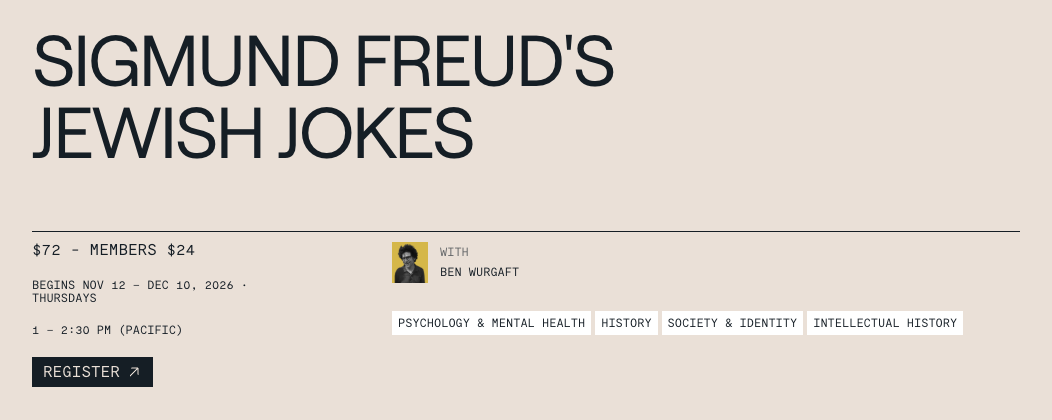
Every program page has a Register button beside the dates and price.
Continue to our registration site
Register opens the program’s page on our registration site, where the regular price and the member price (always two-thirds off) appear side by side. Check the dates and choose Register there to begin.
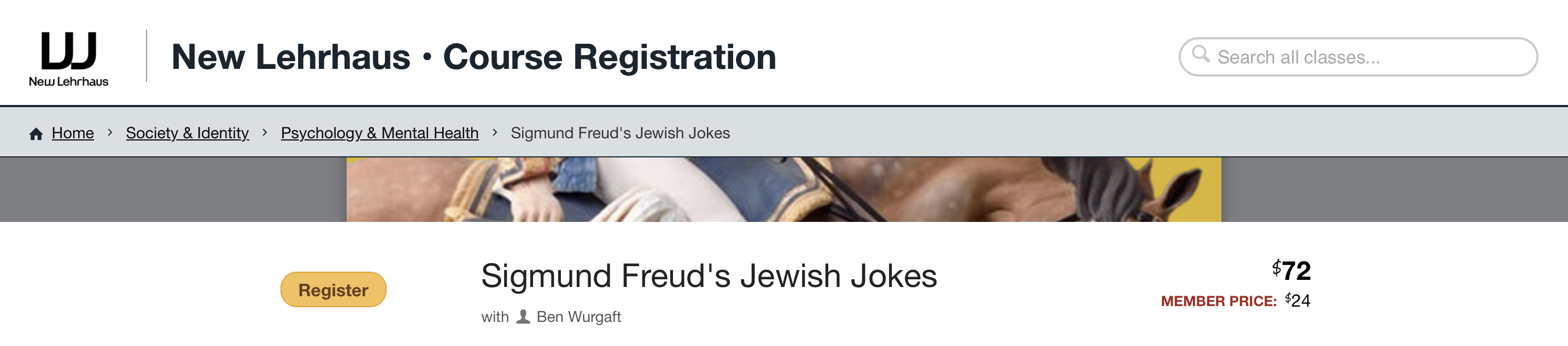
The program on our registration site, with the regular price and the member price.
Choose who will attend
A window asks who will be attending. Choose “You” to register yourself. To register someone else as well, choose Add Person.
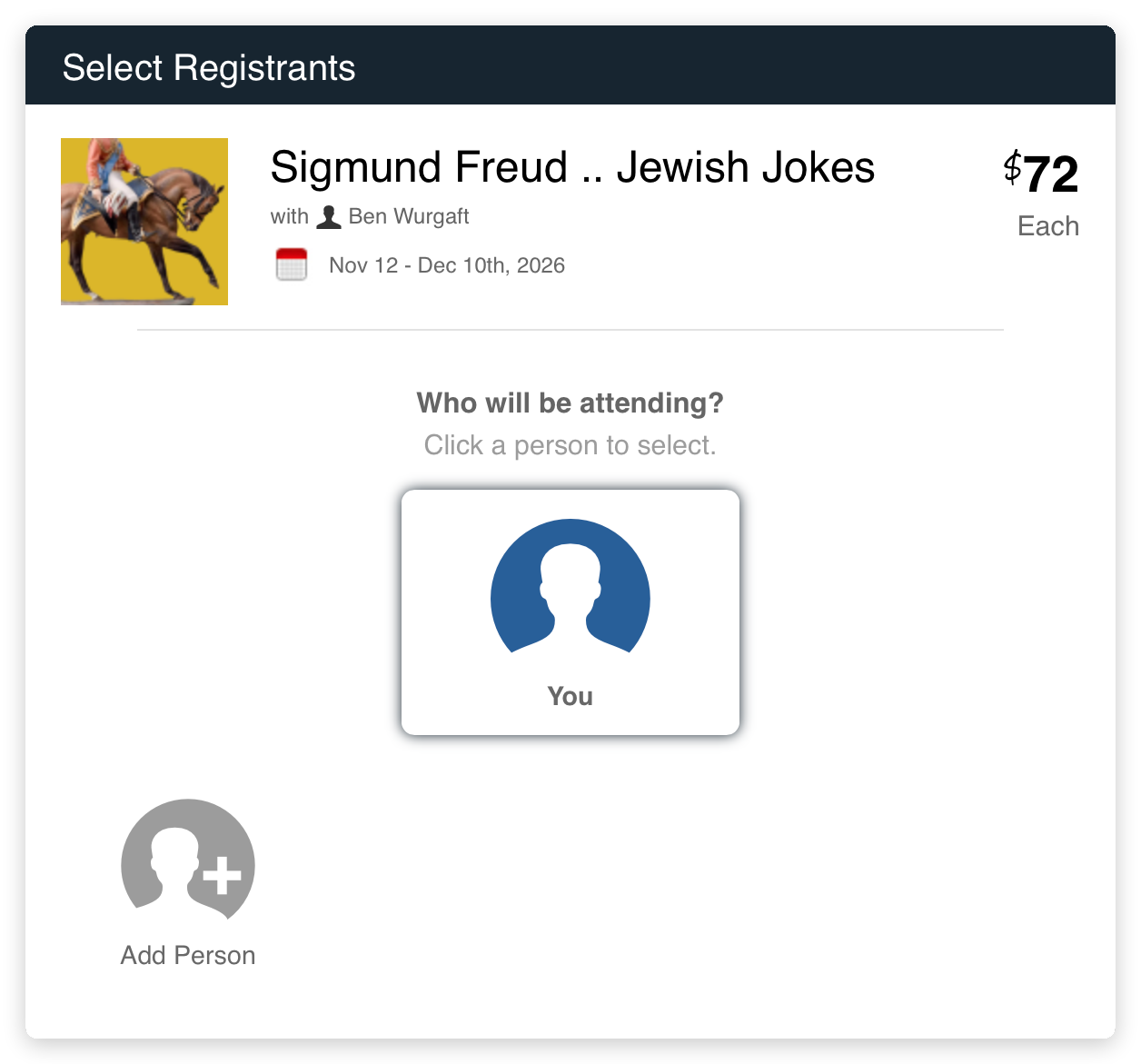
The window that asks who will be attending.
Check out
The program goes into your cart. Choose Check Out to finish now, or Continue Browsing to add another program first and pay for everything at once.
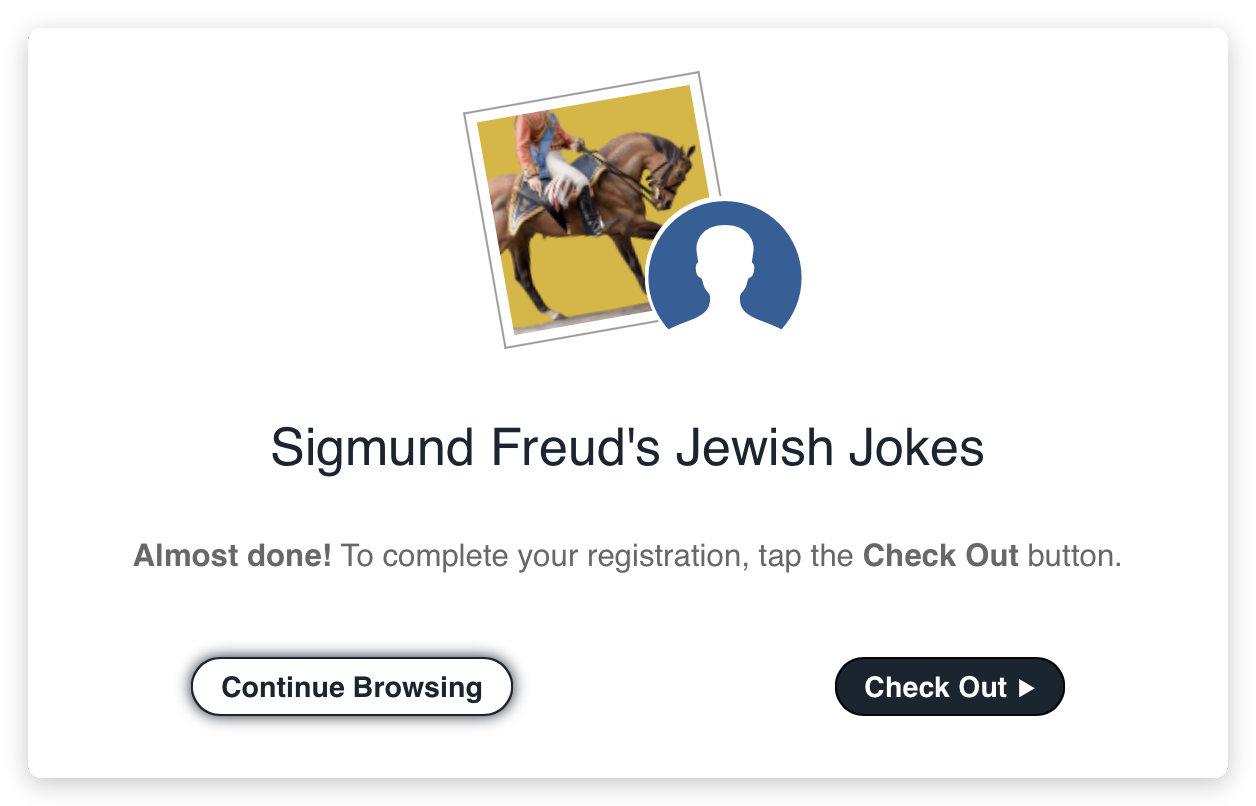
Check Out continues to your account and payment; Continue Browsing lets you add another program first.
Sign in or create your account
Enter your email address and choose Continue.
If you are a member, use the email address your membership is under; the site recognizes members by that address and applies the member price automatically. If you have registered with us before, sign in with your password. The first time, the site asks for your name, phone number, and address, and for a password with upper- and lowercase letters, at least eight characters, and at least one character that is not a letter.
Check the box to agree to the terms of service and choose Continue. Keep your password somewhere safe. We suggest using the same email address for the member portal, so your New Lehrhaus accounts stay easy to match.
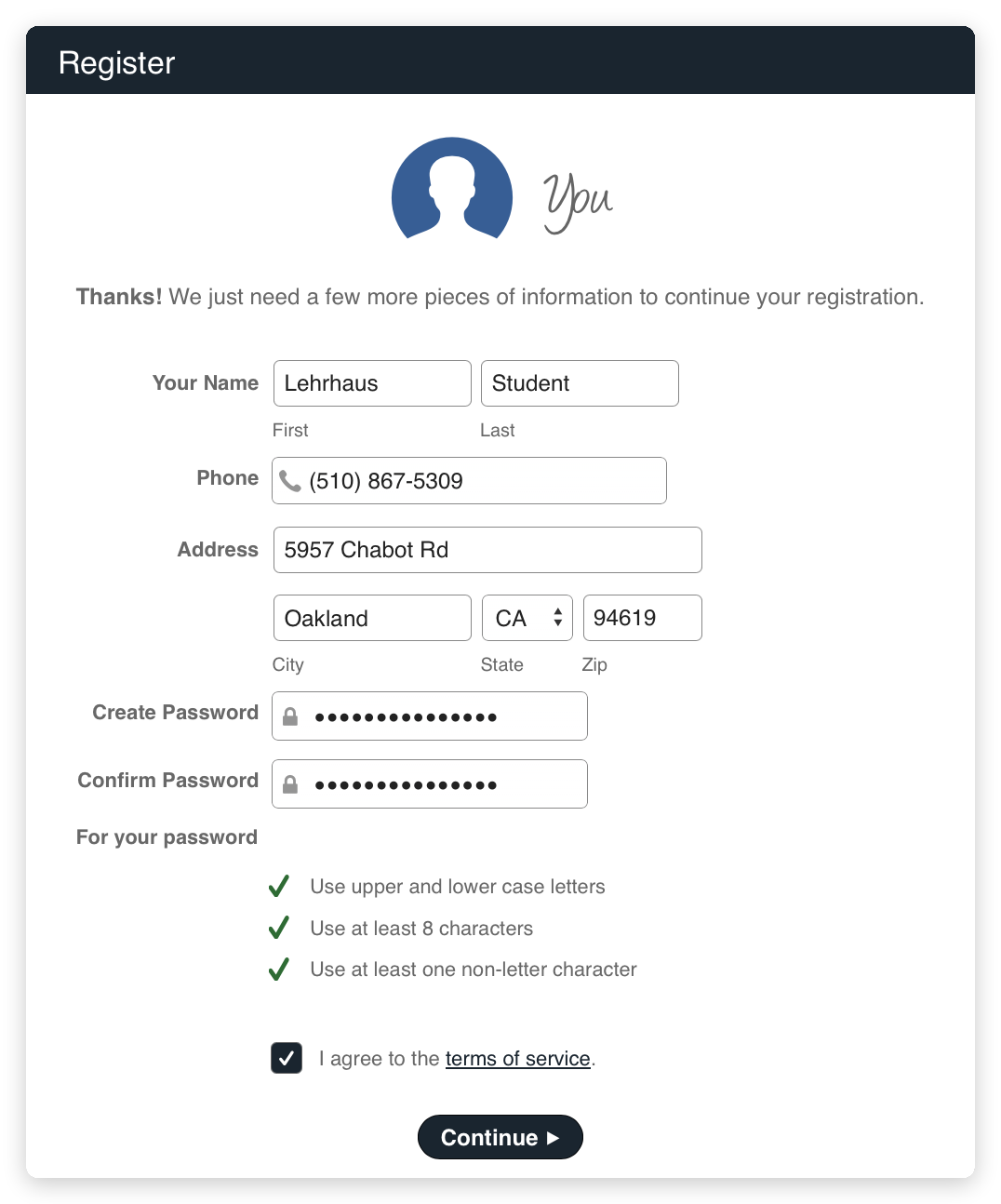
Setting up your registration account the first time you register.
Review and pay
Next, the site asks whether you would like to add a donation. It is entirely optional: you can skip it, or choose an amount, including one that covers the $2.50 card processing fee. Choose Save and Continue. The Review screen shows your total, and members see two-thirds taken off the price. Enter your card number, expiration date, security code, and billing zip code. “Remember card” is checked to start; uncheck it if you would rather the site not keep your card for next time. Then choose Complete Order.
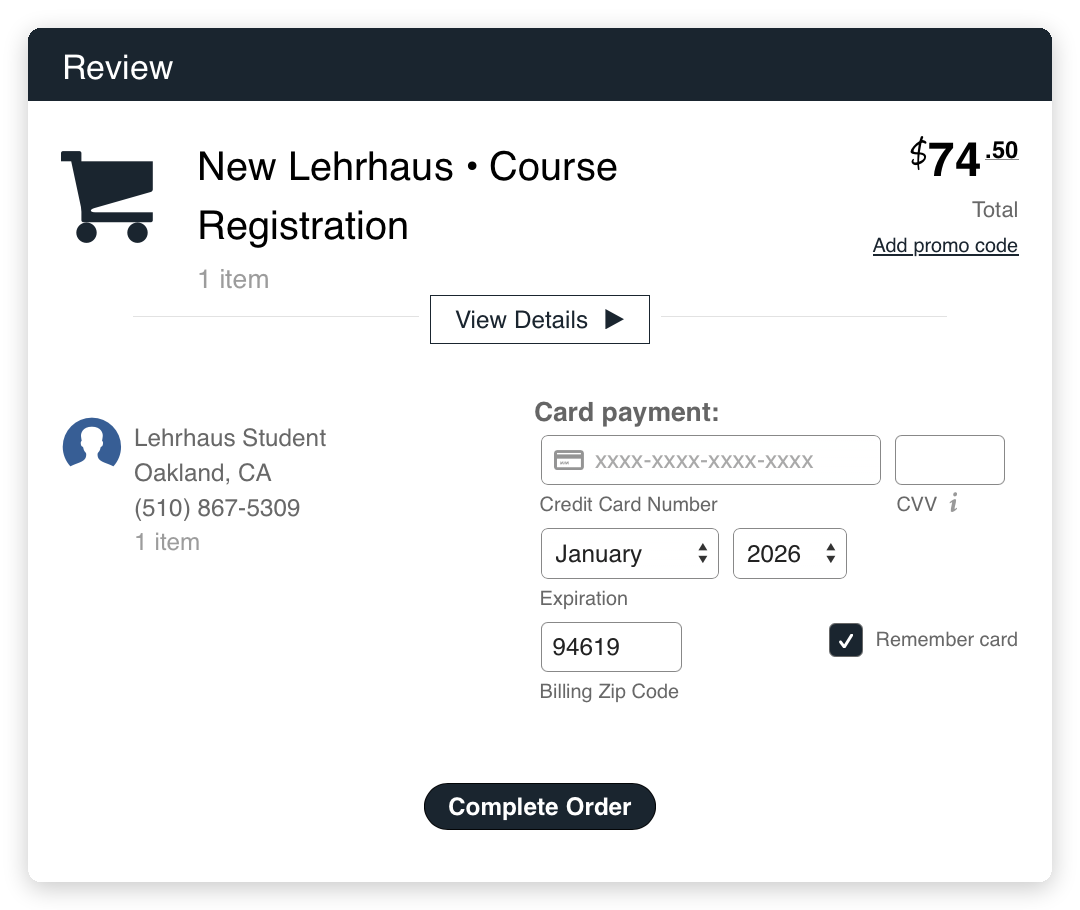
The Review screen, with the total and the card details.
After you register
Your confirmation arrives by email right away, from New Lehrhaus at notifications@coursestorm.com, and a reminder follows two days before the first session. For online programs, both emails carry the class link; for in-person programs, they give the location. If the confirmation hasn’t arrived within a few minutes, check your spam folder. A course with several sessions needs only one registration, which covers every session.
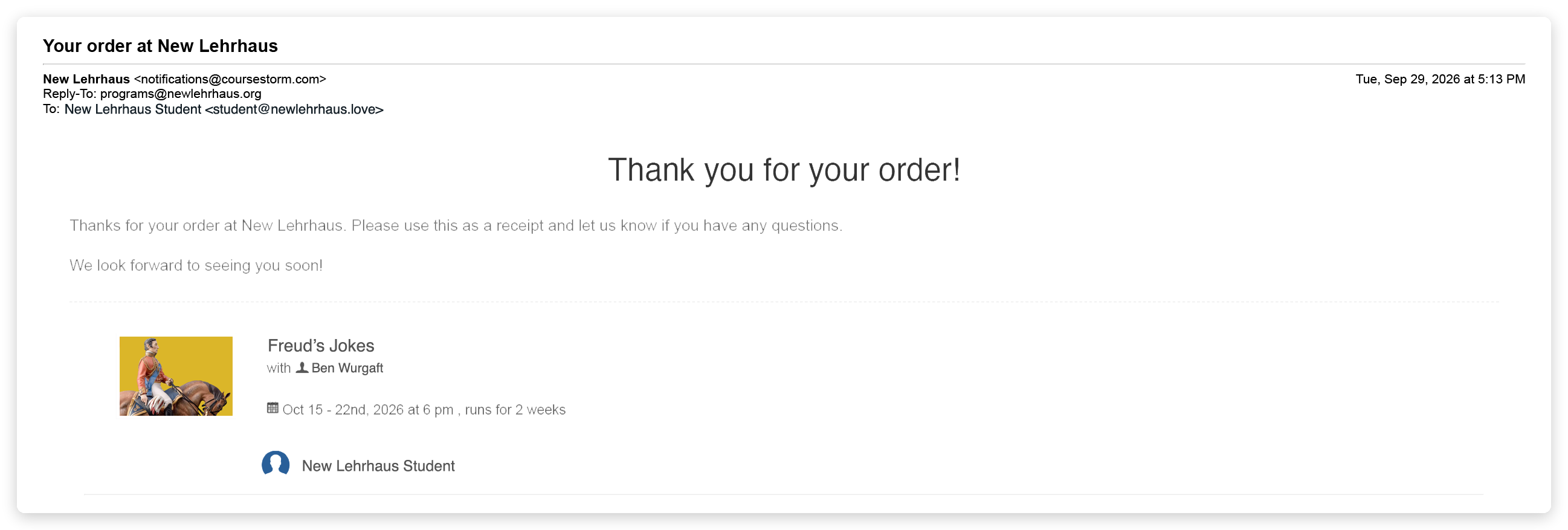
The top of the confirmation email. Further down, it lists the course details, including the Zoom link for online programs.
Common Questions
I’m a member, but the member price didn’t appear. What should I do?
Stop before paying. Check that you signed in with the email address your membership is under. If the price still doesn’t appear, write to programs@newlehrhaus.org from that address and we will set it right.
I just became a member. When does the member price start?
We add new members to the registration the same business day. If you join after hours or on a weekend, your member price starts the next business day. If you register before then, write to programs@newlehrhaus.org and we will refund the difference.
Can I pay by check?
Yes. Write to programs@newlehrhaus.org and tell us which course you would like to take. Send your check, payable to “New Lehrhaus,” to New Lehrhaus, P.O. Box 7843, Berkeley, CA 94707. We will register you as soon as your check arrives and you will receive a confirmation from our registration site.
Does my login from the old website still work?
No, the old website’s login retired with the old site. The first time you register for a program, create an account on our registration site. To see your receipts or renew your membership, set a new password for the member portal, as described below.
Which logins do I need now?
Two, and we suggest using the same email address for both. Your registration account and the New Lehrhaus member portal have separate passwords. Your registration login is for signing up for programs. The New Lehrhaus member portal is where you update your contact details, see your receipts, and renew your membership. The portal opens with our new website, so everyone sets a new password there the first time. Choose “my account” at the top of any page, then “Forgot password,” and enter your email address; we will send you a link to set your password. If you have ever given, registered, or joined, you already have an account in the portal, so use that link rather than creating a new account. The video library recognizes members by the email address on their membership: enter that address on the library page and we will send you a sign-in link.
How do I cancel or change a registration?
Write to programs@newlehrhaus.org and we will be happy to take care of it during regular business hours.